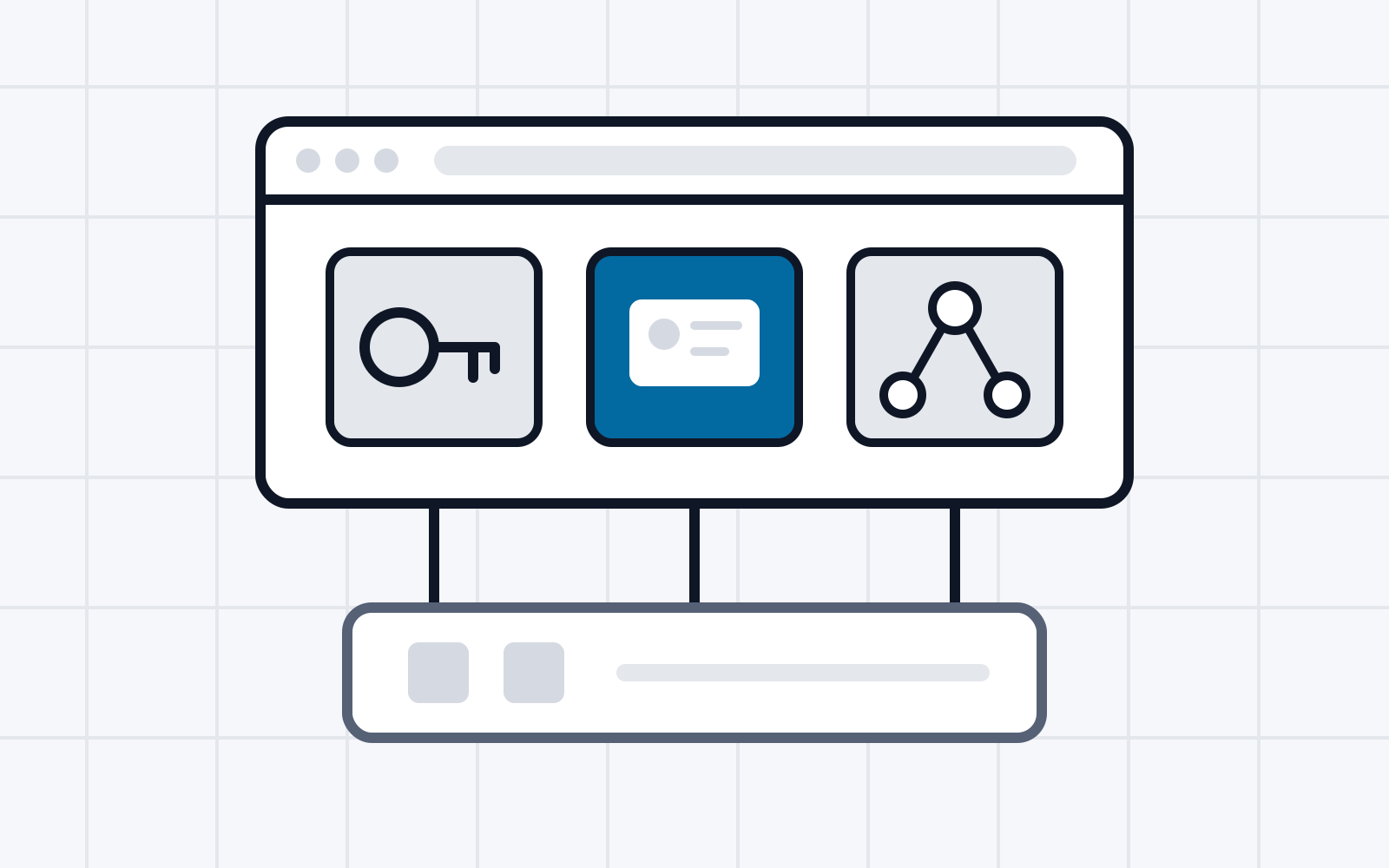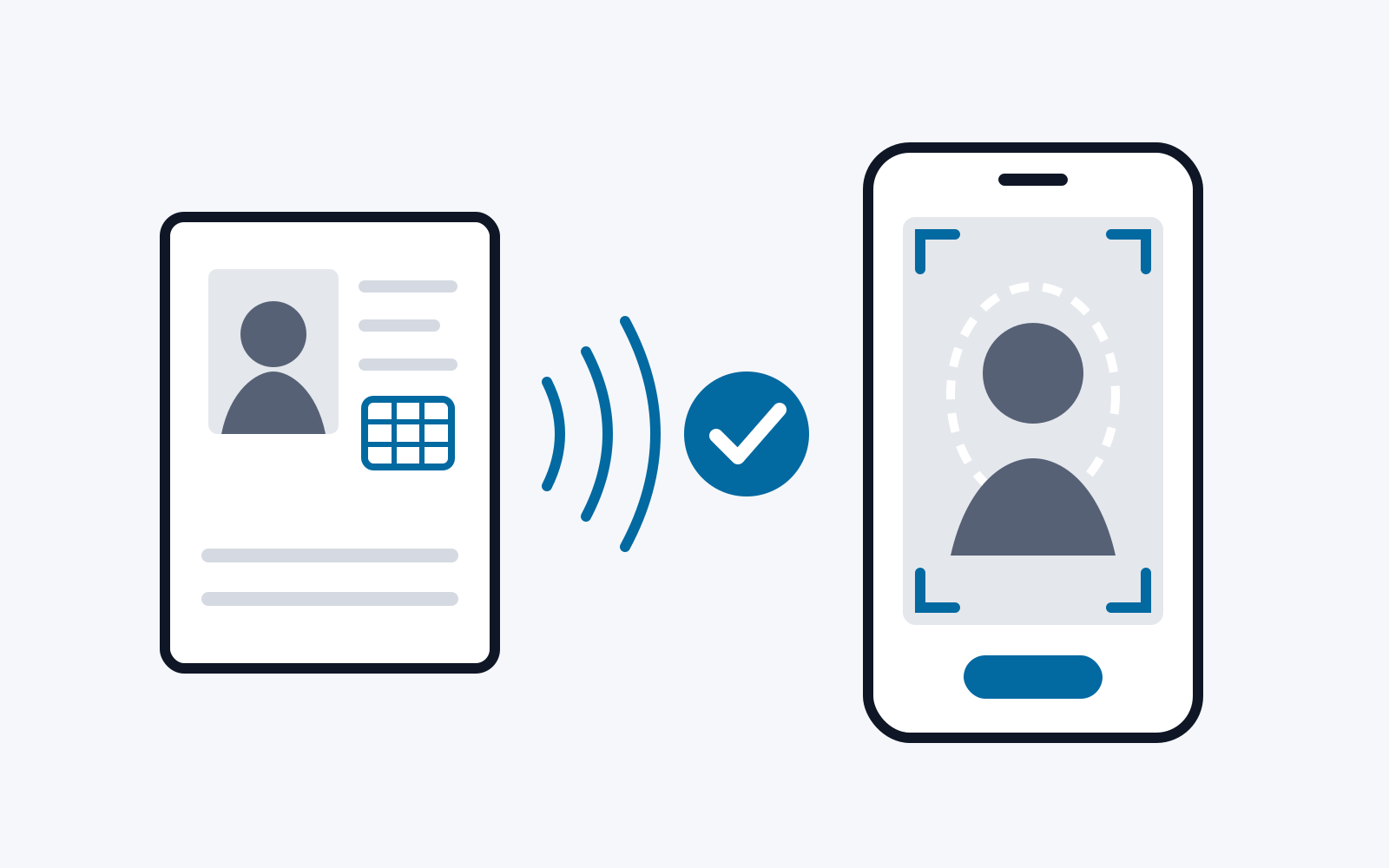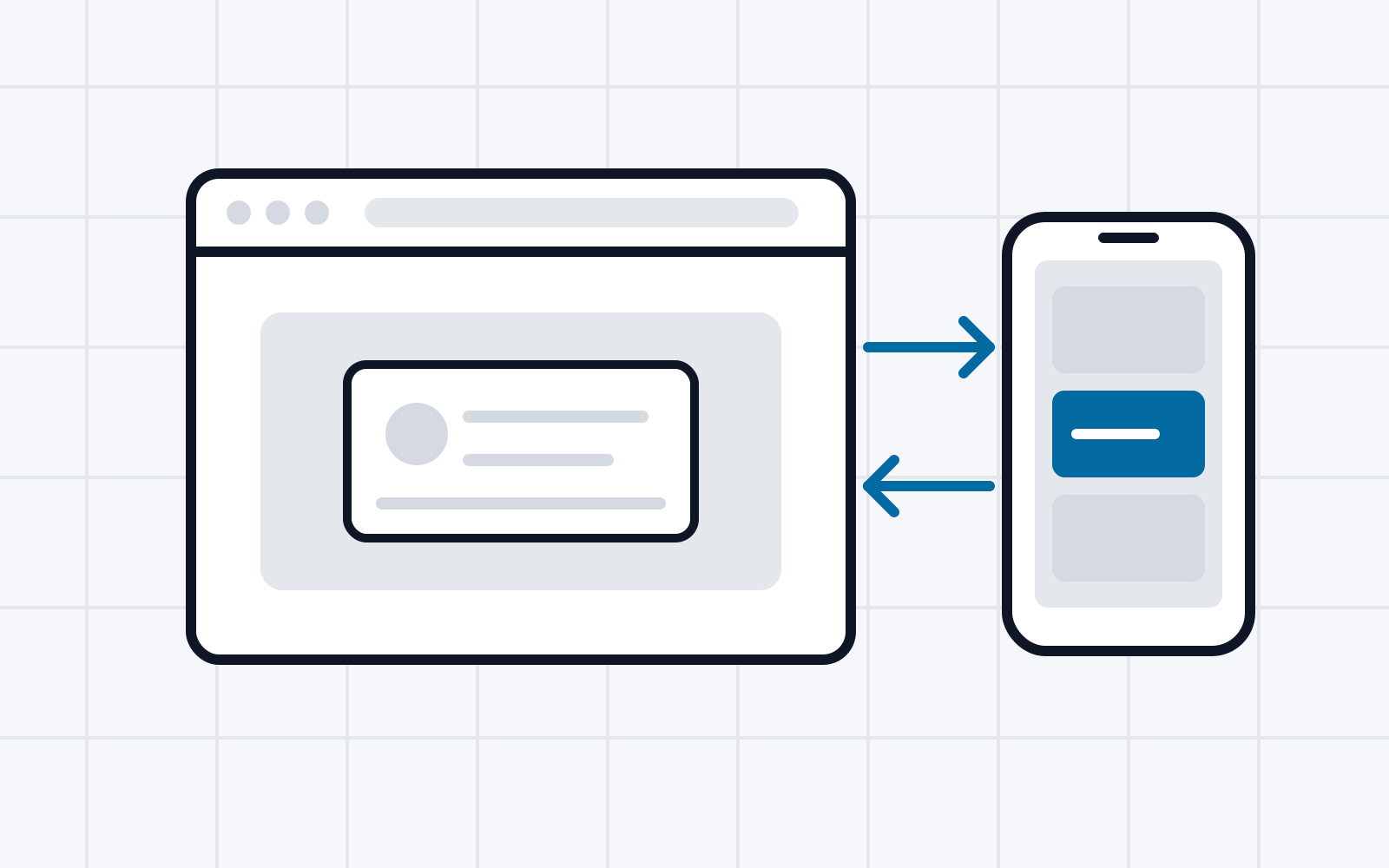
The Digital Credentials API is currently being developed as part of the Web Incubator Community Group (WICG). The programing interface allows digital credentials to be retrieved directly via the browser. This replaces the use of custom URI schemes, which improves usability. The Digital Credentials API in Chrome is currently being evaluated as an origin trial. This report shows which features have already been implemented. It also shows how the API has been integrated into the Valera Wallet so that the credentials stored in it can be retrieved via the new browser API.
1. Introduction
Digital identity credentials offer a way to store identification documents directly on a smartphone in a secure digital wallet and to enable identification both in everyday life and when using online services. However, online identification currently often relies on custom URI schemes, which in practice come with certain usability problems. For example, the invoked wallet application is not always able to switch directly back to the browser. In addition, users can prohibit the invocation of custom schemes, so that further invocations may fail unnoticed. The introduction of the Digital Credentials browser API addresses these problems by informing the browser about the credentials stored on the device. This allows the browser to take an active role in providing the identification data, instead of merely opening custom URIs passively. An overview of all credentials stored on the device can thus be displayed before the request is forwarded to the respective wallet application. To retrieve credentials, a website must implement the standardised API. On the wallet application side, the system must be told which credentials are available. This report shows how this is done. For this purpose, the API is integrated into the Valera Wallet application.
2. Background
The Digital Credentials API is a web platform API [1] currently under development within the Web Incubator Community Group (WICG). It makes it possible to use digital credentials such as driving licences or identity cards selectively over the web. It builds on the Credential Management API and allows websites to request verifiable information from users that is stored in digital wallets. In doing so, it replaces custom URI schemes such as openid4vp: or mdoc:, as proposed in the specifications of OpenID4VP [2] and ISO 18013. The API is protocol-agnostic and can therefore be used with different protocols such as OpenID4VP or the Austroads Request Forwarding Protocol. The specification of the Digital Credentials API is available at [3]. However, it is currently still at a very early stage. As a result, most sections are still empty and thus unspecified. It also does not currently match the state of implementation: according to the specification, issuing is out of scope, whereas the feature was recently implemented in Chrome and in the Android libraries.
To use the API, it must be supported by the browser in use, the operating system (or a component running on it) and the wallet application. Currently, the Digital Credentials API is supported only by Chrome on Android with Google Mobile Services (GMS) running. An iOS implementation is currently pending in both Safari (WebKit) [4] and Chrome for iOS [5].
2.1. Retrieving identity credentials
On the side of the calling website, the identity credential is retrieved via a JavaScript API. To prevent abuse, the method must be triggered by an action performed by the user, such as pressing a button. An example call of the JavaScript API looks as follows [6]:
const oid4vp = {
  protocol: "oid4vp", // An example of an OpenID4VP request to wallets.
  data: {
    nonce: "n-03W_WT6Ftf",
    presentation_definition: {
      //Presentation Exchange request, omitted for brevity
    },
  },
};

// create an Abort Controller
const controller = new AbortController();
// Call the DC API using the presentation request from the backend
let dcResponse = await navigator.credentials.get({ signal: controller.signal, mediation: "required", digital: { requests: [ oid4vp ] } });
In addition, the query for identity credentials can also be made by native applications. Currently, this function is available only on Android. For this purpose, the Jetpack Credentials API in version 1.5.0 or newer can be used [7]. Its function is structured similarly to the JavaScript API.
2.2. Registering existing credentials
So that the credentials present on the device and compatible with the request can be displayed, they must be registered beforehand by the wallet. To register the credentials, a wallet application can use the Play Services Identity Credentials library in version 16 [8]. Communication between the application and the browser thus takes place via Google Play Services and is not yet natively integrated into the operating system. A credential is registered with the method registerCredentials(RegistrationRequest) of the IdentityCredentialClient . For this, a RegistrationRequest is created that contains the credential as a byte array. In addition, a matcher written in WebAssembly is passed along with it. This WebAssembly code is executed every time a website retrieves a credential. The WebAssembly code checks the request of the website and signals to the browser whether the respective credential matches the request. If it does, the credential can be offered for selection. The API that must be used to create the matcher can be found, for example, at [9].
3. Implementation
Wallet-side support was built into the Valera Wallet [10]. Because of the current limitations of the API, the support works only on Android. The implementation supports a protocol called “Preview”, OpenID4VP according to draft 28, and ISO18013-7 Annex C. The Digital Credentials API is supported with both “old” and “new” (as of May 2025) JSON attribute names. To use the implementation, the Chrome browser must be used with support for the Digital Credentials API enabled. The support can be enabled under chrome://flags, as shown in Figure 1. After the flag has been enabled, websites can request digital credentials. Google provides a demo service provider at [11]. It currently works only with credentials of the type Mobile Driving License (mDL) and the “Preview” protocol as well as OpenID4VP. Other service providers such as [12] support further credential types. The following describes the same-device flow using Google’s demo service provider, that is, the retrieval of a credential by a website on the same device on which the Valera Wallet application is running.
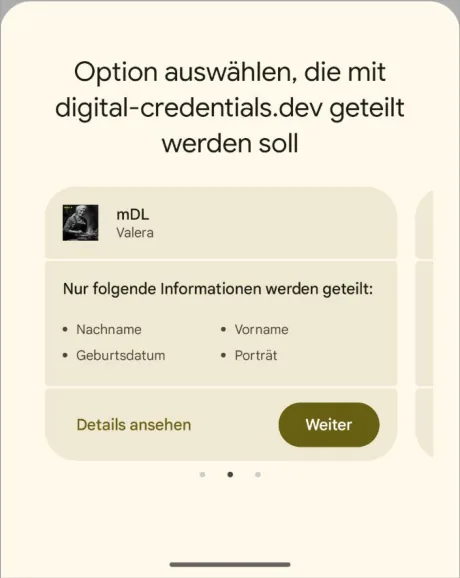
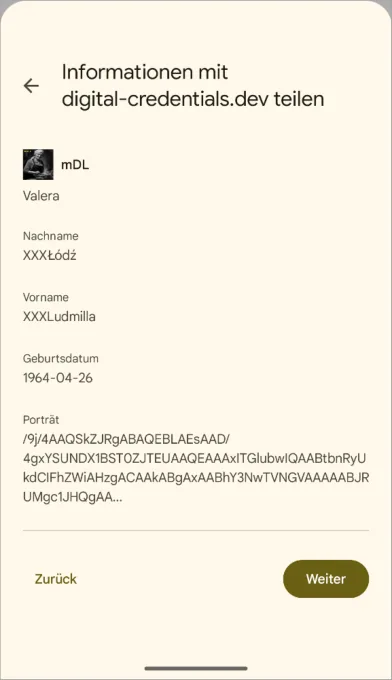
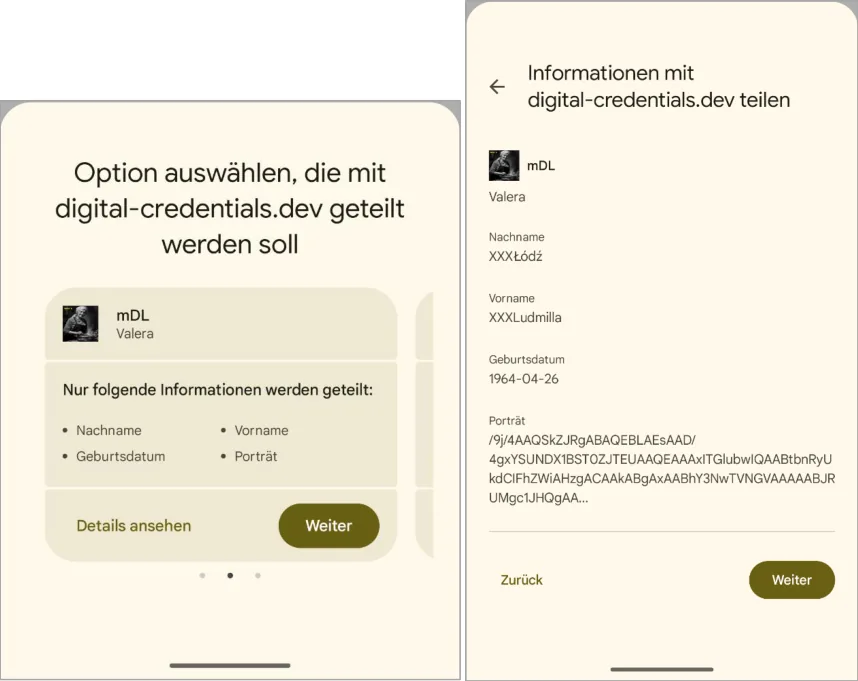
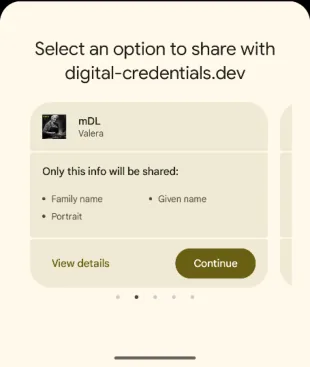
The user starts the process by clicking “Request Credentials” at the demo service provider. All compatible credentials are then displayed. The user can select one credential, as shown in Figure 2. The selection shows which attributes are requested. Clicking Details displays the content of the requested attributes. These details were registered in advance by the respective wallet in the system, as described in Section 2.2.

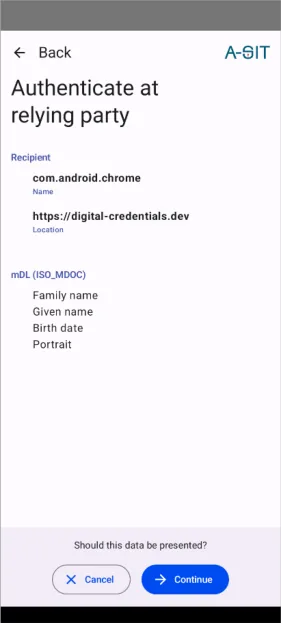
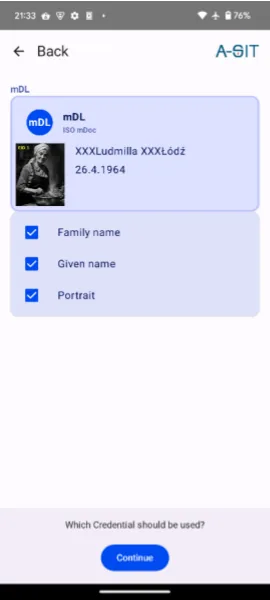
After the credential has been selected, the system switches to the respective wallet application. When invoked, it receives an intent object. This contains information about the calling (browser) application, the URL of the relying party and all requested attributes. In the implementation in the Valera Wallet, this information is displayed as shown in Figure 3. The user can deselect individual attributes and thus prevent them from being shared.
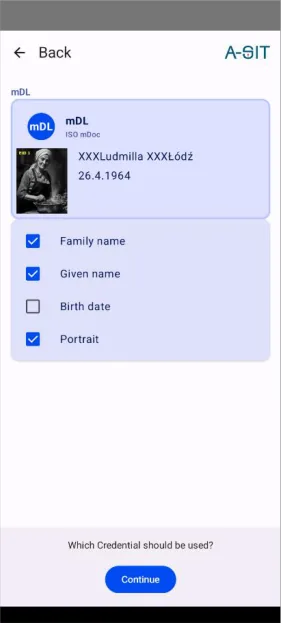
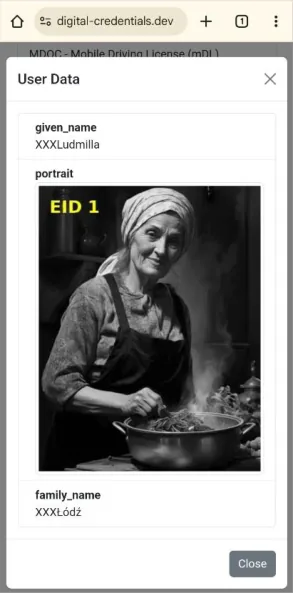
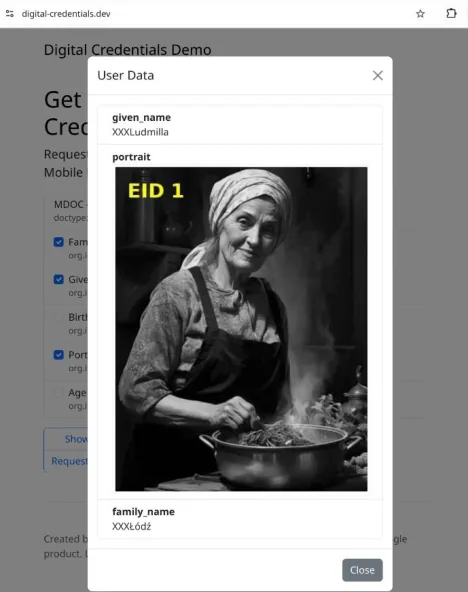
After the user has approved the sharing, the attributes are passed on to the calling website via the API. The demo website then displays them, as shown in Figure 4. The website receives only the attributes that the user has approved. In the example shown, sharing of the date of birth was denied, so it was not passed on to the demo website and therefore cannot be displayed.
3.1. Cross-device sharing
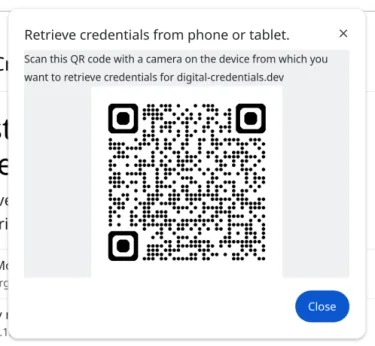
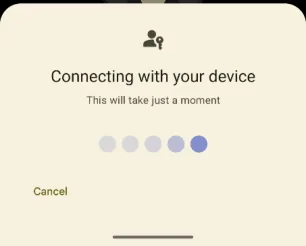
With version 134 of Chromium and the current version of Google Mobile Services (GMS), sharing credentials stored on Android devices for use on the desktop is also supported. For this, a QR code must be scanned on the smartphone, as shown in Figure 5. The connection between smartphone and desktop is then established via Bluetooth. Bluetooth must be enabled on the desktop beforehand, otherwise the process fails with an unspecific error. The implementation is based on the one for passkeys, as also shown in Figure 6. The connection is established after the user clicks the displayed button. Once the connection is established successfully, the dialog for selecting the compatible credentials is displayed, as shown in Figure 7.
Figure 6 After scanning, the camera app on the smartphone offers to establish the connection via the button “Use passkey”.
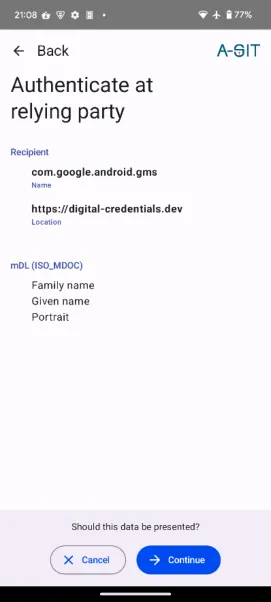
After the credential has been selected, the system switches to the wallet application here as well (see Figure 8). In the current implementation, the caller shown here is not Chrome but the package name of Google Mobile Services, com.google.android.gms. After the attributes have been approved, they appear in the Chrome browser on the desktop, as shown in Figure 9.
The cross-device mode currently works only between desktop and smartphone. Sharing between Android devices is at least being considered [13].

3.2. Further functions
In addition to retrieving existing credentials, further functions are planned or have already been implemented. Since alpha04 of the Play Services Identity Credentials library (16.0.0-alpha04 of 17 December 2024) and with the Canary release 133.0.6866 of Chrome, it is also possible to carry out the issuance process via the Digital Credentials API [14] [15]. For this, there is a separate flag that must be enabled in the Chrome browser under chrome://flags, as shown in Figure 10.
Support for web wallets is currently not implemented. There is also hardly any information on the status of, or a possible plan for, implementing such support. However, a meeting that was part of W3C TPAC planned an initial discussion on support for web wallets [16]. In the published meeting notes, however, this part of the agenda is missing.
4. Conclusion
This report demonstrated the implementation of the new Digital Credentials API, which is still under development, in the Valera Wallet application for the Android operating system. It replaces the currently common use of custom URI schemes and thus results in improved integration between the browser and the wallet application. The integration was successfully implemented for the “Preview” protocol and subsequently also for OpenID4VP and ISO 18013-7 Annex C. Support for the iOS operating system is not yet available, because the integration of the Digital Credentials API into the Safari or Chrome for iOS browsers is still pending. In addition, there is so far no support for online wallets in the API, but according to an agenda published online, initial discussions on implementing such support have at least been held.
References
[1] „WICG - Digital Credentials,“ 2024. [Online]. Available: https://github.com/WICG/digitalcredentials/tree/main. [Zugriff am 30 12 2024].
[2] „OpenID for Verifiable Presentations - draft 23 - Wallet Invocation,“ 02 12 2024. [Online]. Available: https://openid.net/specs/openid-4-verifiable-presentations-1_0.html#name-wallet-invocation. [Zugriff am 30 12 2024].
[3] „Digital Credentials,“ 2024. [Online]. Available: https://wicg.github.io/digital-credentials/. [Zugriff am 30 12 2024].
[4] M. Caceres, „[Meta] Implement Digital Credentials API,“ 01 02 2024. [Online]. Available: https://bugs.webkit.org/show_bug.cgi?id=268516. [Zugriff am 30 12 2024].
[5] „Ecosystem Support,“ 2024. [Online]. Available: https://digitalcredentials.dev/docs/ecosystem-support/. [Zugriff am 30 12 2024].
[6] T. Cappalli, „Digital Credentials API,“ 07 10 2024. [Online]. Available: https://github.com/WICG/digitalcredentials/blob/main/explainer.md. [Zugriff am 30 12 2024].
[7] A. Developers, „credentials,“ Google Inc, 30 10 2024. [Online]. Available: https://developer.android.com/jetpack/androidx/releases/credentials. [Zugriff am 30 12 2024].
[8] Google, „Release Notes,“ 2024. [Online]. Available: https://developers.google.com/android/guides/releases. [Zugriff am 30 12 2024].
[9] „credentialmanager.h,“ 2025. [Online]. Available: https://github.com/digitalcredentialsdev/CMWallet/blob/main/matcher/credentialmanager.h. [Zugriff am 22 05 2025].
[10] G. Palfinger, „Add support for digital credentials API,“ 20 12 2024. [Online]. Available: https://github.com/a-sit-plus/valera/pull/151. [Zugriff am 30 12 2024].
[11] Google Android und Chrome Team, „Get Started with the Digital Credential API,“ 2024. [Online]. Available: https://digital-credentials.dev. [Zugriff am 30 12 2024].
[12] MATTR Labs, „Interop Verifier,“ 2025. [Online]. Available: https://interop-verifier.mattrlabs.dev/. [Zugriff am 22 05 2025].
[13] „Make hybrid flow work between Android devices,“ 30 07 2024. [Online]. Available: https://issues.chromium.org/issues/356399833. [Zugriff am 30 12 2024].
[14] T. Cappalli, „2024 12 02 Meeting Notes - Incubation update,“ 02 12 2024. [Online]. Available: https://github.com/WICG/digital-credentials/wiki/2024-12-02-Meeting-Notes#incubation-update.
[15] samuelgoto, „How should we go about issuance? - digital-credentials Issue Tracker,“ 2024. [Online]. Available: https://github.com/WICG/digital-credentials/issues/167. [Zugriff am 19 12 2024].
[16] T. Cappalli, „2024 09 23 (TPAC) Meeting Notes,“ 23 09 2024. [Online]. Available: https://github.com/WICG/digital-credentials/wiki/2024-09-23-(TPAC)-Meeting-Notes. [Zugriff am 30 12 2024].