Automated Black Box UI testing has a wealth of use cases in dynamic software analysis, in the exploration of malware, as well as in the automated generation of test cases. Although first tools were made available soon after the release of the initial version of Android, they suffered from severe restrictions in terms of their practicality for a long time. To this day, most practitioners utilise dumb fuzzers, which simply feed random user input to a target application.
In this project, we analysed this common practice regarding its sensibility. To this end, we performed an extensive literature review to compile a list of promising new approaches. We then tested and compared these solutions based on a test set of real world applications. Furthermore, we explored the available possibilities for measuring the coverage of automated UI exploration tools on Android..
1. Introduction
In the security analysis of Android applications, it is often necessary to answer the question of whether an application exhibits malicious behaviour (for example, stealing user data) or is vulnerable to attacks (because a security flaw is present). Two different approaches are mainly available for making such statements.
Static analysis examines only the installation package of an app in order to draw conclusions about its runtime behaviour. To this end, a graph is usually built from the program code that is meant to provide information on the control flow and data dependencies. Although this approach works well for some use cases, it does not allow reliable conclusions about the maliciousness or vulnerability of an app, especially on the Android platform. Unlike the competing iOS platform, for example, Android allows apps to load additional code components at runtime that are not contained in the installation package. The full extent of an app’s code can therefore not be captured without executing the program.
The approach of dynamic analysis remedies this. It captures the runtime behaviour of an app by actually executing it. For a meaningful analysis, it is crucial with this method that high coverage is achieved, that is, that a large share of the program code is actually executed and can thus be analysed. Two decisive problems arise here for dynamic analysis: How can high coverage be achieved? How can coverage be measured reliably?
To achieve high coverage, the quality of the UI exploration is usually decisive. More precisely, what matters is the method used to decide, based on the current app screen, how the app’s user interface should be operated next in order to reach app functionality that has not yet been tested. In the literature, many projects still decide purely at random and argue that this yields the best results. In this report, we examined this claim in more detail.
Several options are currently available on Android for measuring coverage, but there is no precise solution that requires no changes to the Android package under analysis. Any such modification can lead to malfunctions that impair the analysis. In the project documented here, we also considered how these problems in coverage measurement can be avoided.
2. Background
This section explains the technologies that are necessary for understanding the later explanations.
2.1. Android
Android is the most popular operating system for mobile devices such as smartphones and tablets. The system is developed by a number of device manufacturers under the leadership of Google as part of the Android Open Source Project (AOSP). From a technical point of view, it is an operating system based on a Linux kernel. However, the userspace components differ substantially from those of any other Linux distribution. They were newly developed specifically for the requirements of mobile devices.
2.2. Android apps
Android allows users to run arbitrary third-party applications. Google provides a Software Development Kit (SDK) with which developers can write applications in the programming languages Java, Kotlin, C and C++. After compilation, programs can be packaged into an Android Package (APK) file and installed on an Android device.
2.3. APK files
The Android system allows the installation of applications only in the APK format. This is essentially a ZIP archive with a clearly defined structure. The central elements within this structure that are relevant for this project are:
The application manifest An XML file created by the app developer that can be regarded as a “contract” between the app and the Android system. Here, the developer specifies, among other things, the permissions and features that the app requires at runtime, and declares which functionality the app makes available to the operating system or to other apps on the system. The most common exported components here are Activities (UI screens), ContentProviders (controlled access to the app’s data) or Services (background functionality).
DEX files Dalvik Executable (DEX) files contain the compiled program code that was compiled from Java or Kotlin. During compilation, it is transformed into Dalvik bytecode. This is an intermediate representation that facilitates platform-independent execution of the code on the device. It is worth mentioning in this context that Dalvik bytecode retains crucial high-level information about the original program code. In contrast to programs that exist as machine code, the implemented functionality can therefore be reconstructed relatively easily and subsequently modified.
SO files (native libraries) Developers can implement parts of an app in native programming languages such as C and C++. In the APK package, these are stored as ELF shared objects (file extension .so). They can be called from Java code via the Java Native Interface (JNI).
Resources Within an APK package, all resources are entered in a central index file (resources.arsc). Value data (strings, integers, styles, …) is stored directly in the index, while all remaining data (UI layouts, bitmaps, configurations, …) is stored in separate files in the APK package.
3. Dynamic testing in the app context
Dynamic testing is not used only in security analysis, where statements about the security (vulnerability or maliciousness) of an app are to be made. App developers also use the technology to find problems caused by corner cases (such as unforeseen input combinations or unusual navigation of the user interface) that lead to faulty behaviour or crashes.
While dynamic testing of a few individual applications can still be done manually, an automated test procedure becomes necessary beyond a certain number of applications. If a description of the exact app functionality is available for this (for example, through the app’s source code), this is called white-box testing. If, however, no information about the app functionality (or the structure of the user interface) is available in advance, this is called black-box testing. Here, test procedures cannot be defined beforehand (for example, by operating certain elements of the user interface at defined intervals).
The basic process of automated dynamic testing consists of continually repeating the same three steps. In each iteration, it is first decided which interaction with the app’s user interface is to be carried out. This interaction is then executed. Afterwards, it is evaluated whether a certain condition that stops the test is met (for example, if a crash was generated or a certain coverage was reached).
From a conceptual point of view, systems for automated dynamic analysis always consist of at least the following three functional modules:
-
Application Under Test (AUT) The application that is to be analysed.
-
UI Explorer This is where the decision is made on how the user interface is to be operated. Usually, the chosen interaction is also executed right away.
-
State Observer Depending on the individual use case, this checks whether an error case is present and whether the condition for ending the test is met. In the case of a security analysis, it can be determined here, for example, whether a certain malicious behaviour was noticed (such as access to a certain sensitive API) or whether a vulnerability to a certain security flaw was detected (for example, if a crypto API was configured insecurely). Test coverage is also determined here.
In addition to these three core components, the following element can often be named:
- Test Orchestrator Conducts, figuratively speaking, the entire test procedure by starting the other components, handling error cases, distributing different AUTs to different test devices, and so on.
The AUT is also often run in a specially prepared environment in which function calls can be observed more closely or lifecycle events of app components can be generated artificially. Conceptually, this environment could be placed in the State Observer or Test Orchestrator, or be regarded as an independent component.
4. Dynamic testing on Android
In this project, dynamic testing was addressed on Android, in particular in the security context. Here, an AUT usually consists of an Android app package (made up of one or more APK files) that is installed and run in a test environment (either an Android emulator or a physical device connected to the Test Orchestrator). The Test Orchestrator is usually implemented on the basis of the Android Debug Bridge (adb), which allows one or more physical or virtual Android devices to be controlled via a cable or wireless connection.
The greatest challenge in automated dynamic testing on Android lies in the UI Explorer. Effective user inputs must be chosen here in order to capture as much of the app functionality as possible. In Section 4.1, we discuss the various approaches to solving this problem.
The State Observer for dynamic automated testing on Android usually consists of a test-specific part and a general part. We address coverage measurement in the general part in Section 4.2. The test-specific part may involve, for example, the detection of crypto API misuse [1].
4.1. UI exploration
Two main trends can be identified in the exploration strategy of the various current approaches to UI exploration on Android.
Random-based solutions generate random input events. No information about the structure of the user interface is required for this. The approach is therefore easy to implement and very performant with regard to decision time. Nevertheless, it is overall a rather ineffective approach, because a large number of input events must be generated and executed until a meaningful event is found, that is, until a change in the user interface state is achieved (for example, by navigating to another app screen).
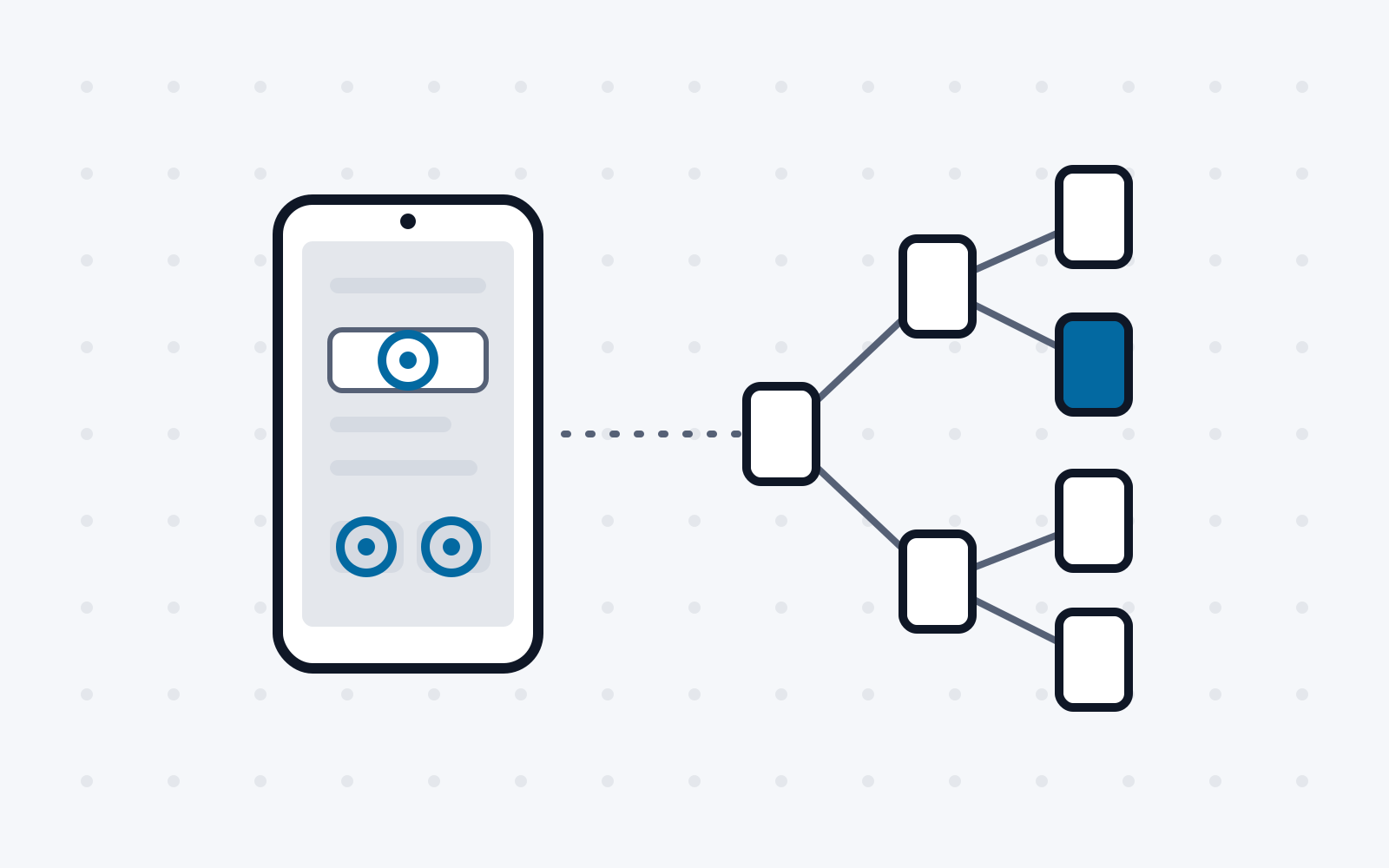
Model-based solutions use information about the user interface and previously executed actions to build a model of the AUT. This model can then be used like a map, for example to choose input events in such a way that user interface states that have already been reached are not tested again. For this structured approach, the UI Explorer often needs, besides the purely graphical framebuffer, information about the structure of the user interface, such as the position or labelling of buttons, the supported input events of a UI element, and so on. It is therefore not suitable for applications that do not provide such information (for example, because they do not use the standard UI library).
A particular challenge for every UI exploration method are so-called exploration tarpits [2] or gate GUIs. These are app screens that can only be overcome if structured, meaningful input is found for input forms. The fewer hints the UI structure provides about the expected input, the more context the UI exploration itself must gather or interpret. While input elements with a defined number of states (such as a switch) are easy to fill with meaningful data (every possible state is usually valid), free-text fields in particular pose a major challenge. Although these are usually easy for human users to fill in, automated approaches often reach their limits here.
The method most frequently used in practice for UI exploration on Android falls into the category of random-based solutions. This is the tool Monkey [1], which is developed and published as part of the Android Open Source Project. The actual purpose of the tool is stress testing of Android applications. For this, a high quantity of input events is usually necessary1, whereas for UI exploration the quality of the events also plays a decisive role. Monkey is thus, on the one hand, a convenient solution for UI exploration, as an existing tool can be adopted that already has functionality for injecting input events. On the other hand, it is not an optimal solution, because the quality of the (randomly generated) input events does not meet the requirements of meaningful UI exploration.
The state of the art for UI exploration on Android can be found in the second category of solutions, that is, in the model-based approaches. Some of the current approaches rely on machine learning. Particularly worth mentioning in this area is the work Fastbot and its successor Fastbot2 [3]. The approach uses reinforcement learning to build an ML model. Specifically, for each executed input event (for the given UI state), it records whether a change of the UI state was brought about. Later, those input events can then be preferred that lead to the highest coverage within a given runtime. Although the tool is intended for broad use in research, the licence of the recently published source code is unclear. The project can therefore not be adapted or integrated into other projects without legal uncertainty.
An alternative with an open-source licence can be found in Droidbot [4]. The project places a particular focus on extensibility and flexibility. Although functionality for injecting input events and for building a model of the UI states already exists, an algorithm for selecting the input events must first be implemented. It is therefore more of a framework than a solution that can be used immediately.
A concrete solution that builds on Droidbot can be found in Humanoid [5]. Here, too, a machine learning approach is used, which makes decisions about meaningful input events based on an ML model trained on UI interactions of real human app users. While the approach is promising in principle, the implementation comes with some limitations. For example, the evaluation of the ML model slows down the analysis, and only predefined display resolutions are supported.
Particularly exciting approaches can be found in publications devoted to the generation of meaningful text for free-text fields. Worth mentioning here in particular is QTypist [6], which queries a Large Language Model (LLM) in each iteration in order to select the next input event. It should be noted here that QTypist uses the proprietary model GPT-3, which can only be run on a server for a fee.
4.2. Coverage measurement
Coverage measurement poses a particular problem on mobile platforms, since, in contrast to desktop systems, applications cannot be modified inconspicuously there. More precisely, applications on Android must be signed by the developer before they can be installed on a device. If an app is modified, a new signature (distinguishable from the original) must be created. To prevent repackaging attacks, many apps check their APK signature at runtime. If the original app signature is not found, further execution is refused. If app attestation is used, there is no way to circumvent this security mechanism. To ensure the greatest possible app compatibility, it is therefore desirable that the app does not have to be modified for coverage measurement.
Currently, however, only those approaches that require modifications to the APK file are available for exact (line-accurate) coverage measurement. Specifically, this is the solution ACVTool [7].
Some alternative approaches translate DEX code into Java in order to then use Java solutions for line-accurate coverage measurement. In addition to the signature problems discussed above, these approaches usually also suffer from compatibility problems. The compiled output (DEX files) generally cannot be translated back into Java without errors, as information about the source code is lost during compilation.
For use cases in which the AUT is not to be modified, exact (line-accurate) coverage measurement is therefore often dispensed with, and only very coarse activity coverage is used instead. For this, the AUT’s app manifest is analysed to obtain a list of all contained Activity classes. During the test, activity launch events are then read out of the system log. In this way, the share of activities reached by the test can be determined.
5. Evaluation of current UI exploration approaches
When an approach is published, it is usually also evaluated on a dataset of Android apps. Although this evaluation is meant to allow solutions to be compared objectively, different metrics and app datasets are mostly used, so that no direct comparability is given. To remedy this, we carried out our own evaluation of various current approaches in this project.
5.1. Tested tools
We used all current approaches from the literature that (1) are suitable for black-box testing and (2) were made available to the public at least as an executable binary. Specifically, these are the two model-based approaches Fastbot2 and Humanoid already mentioned above, as well as the random-based tool Monkey.
5.2. Dataset
To limit the time required for the evaluation, the size of the dataset was restricted to 50 applications from the outset. These were chosen from the most popular apps by download numbers on Google Play, the largest Android app store. More specifically, they are the 10 most popular free applications from the categories Business, Education, Health & Fitness, Lifestyle and Sports. If an in-app payment was a prerequisite for the (meaningful) operation of an app, the next app in the ranking was selected in its place.
5.3. Test environment
The tests were carried out on a OnePlus 7 Pro equipped with the official Android 11 build. Each tool was run 3 times for 20 minutes per app. Before each run, the app data on the device was completely deleted. Activity coverage, which as mentioned can be measured without modifications to the AUT, was used as the indicator of an approach’s success. Since the test runtime was limited equally for each tool, coverage serves here as a measure of the tool’s performance, that is, of how much coverage per unit of time the tool achieves.
5.4. Results
As shown in Table 1, Fastbot2 showed the highest performance in the test scenario. A surprising finding is that model-based approaches are not always clearly superior to the much simpler random-based approaches. The reasons for this may be found in the general unreliability of Humanoid (regular errors), but also in the time-consuming evaluation of the ML model.
That even the best model-based approach (Fastbot2) shows only a performance gain (about 25 %) over the random-based Monkey tool that is low relative to the additional implementation complexity is probably an indication that modern apps have complex user interfaces that are difficult to model.
Table 1 Performance comparison of the tested UI exploration approaches
| Fastbot2 | Humanoid | Monkey |
|---|---|---|
| 17.53 % | 11.19 % | 13.89 % |
Overall, it must also be noted that all tested approaches cover less than 20% of the activities of the tested apps. Although activity coverage can only be regarded as an indication of functionality coverage, it can nevertheless be assumed that even the best current approaches still leave considerable room for improvement.
6. Summary
In this report, we examined the current situation of black-box UI testing for automated dynamic security testing of Android applications. To this end, we summarised the technical foundations and basic components of corresponding systems and discussed the most promising approaches presented by the scientific community in the recent past. Finally, based on our own independent evaluation, we presented an objective performance comparison of various publicly available approaches to UI exploration.
References
[1] L. Piccolboni, „CRYLOGGER: Detecting Crypto Misuses Dynamically,“ in IEEE Symposium on Security and Privacy, 2021.
[2] W. Wang, „Vet: identifying and avoiding UI exploration tarpits,“ in ACM Joint European Software Engineering Conference and Symposium on the Foundations of Software Engineering, 2021.
[3] Z. Lv, „Fastbot2: Reusable automated model-based gui testing for android enhanced by reinforcement learning,“ in International Conference on Automated Software Engineering, 2022.
[4] Y. Li, „DroidBot: A Lightweight UI-Guided Test Input Generator for Android,“ in IEEE International Conference on Software Engineering Companion, 2017.
[5] Y. Li, „Humanoid: A Deep Learning-based Approach to Automated Black-box Android App Testing,“ in International Conference on Automated Software Engineering, 2019.
[6] Z. Liu, „Fill in the Blank: Context-aware Automated Text Input Generation for Mobile GUI Testing,“ 2022. [Online]. Available: https://arxiv.org/abs/2212.04732. [Zugriff am 25 08 2023].
[7] A. Pilgun, „Fine-grained code coverage measurement in automated black-box android testing,“ ACM Transactions on Software Engineering and Methodology, Bd. 29, 2020.
-
Android Developers: UI/Application Exerciser Monkey: https://developer.android.com/studio/test/other-testing-tools/monkey ↩︎