With the Android Privacy Sandbox, Google is introducing a new technology designed to improve the privacy of Android device users. At its core, the Privacy Sandbox introduces a new technology called SDK Runtime. The aim of this runtime is to isolate advertising libraries integrated by applications from the application itself. As a result, it should no longer be possible for advertising libraries to access data that has been granted to an application, for example through the granting of permissions by the user. This report analyses how the SDK Runtime is implemented on a technical level. Experiments are also carried out to determine which changes were made to the programming interface. In particular, it examines what information can still be retrieved in order to create a fingerprint of a device.
1. Introduction
The Android Privacy Sandbox is a new technology from Google that aims to improve privacy on Android devices while meeting the requirements of the advertising industry. This initiative, developed as part of Google’s Privacy Sandbox project, aims to minimise the amount of user data collected and to protect users’ privacy, while still enabling personalised advertising. The Android Privacy Sandbox introduces technical approaches that aim to restrict tracking across different applications. In particular, the new SDK Runtime, which is part of the Android Privacy Sandbox, changes the way Software Development Kits (SDKs) are integrated within the Android ecosystem. The aim of this runtime is to improve privacy by isolating third-party SDKs from the main application. The goal is that the SDK can only access the data it needs for execution, without having full access to all of the application’s data and permissions. This report shows how the SDK Runtime is implemented on a technical level and how it affects applications and the integrated SDKs. It also examines which information, otherwise retrievable via the programming interface, is no longer accessible to such a library running in the SDK Runtime.
2. Background
2.1. Technical implementation
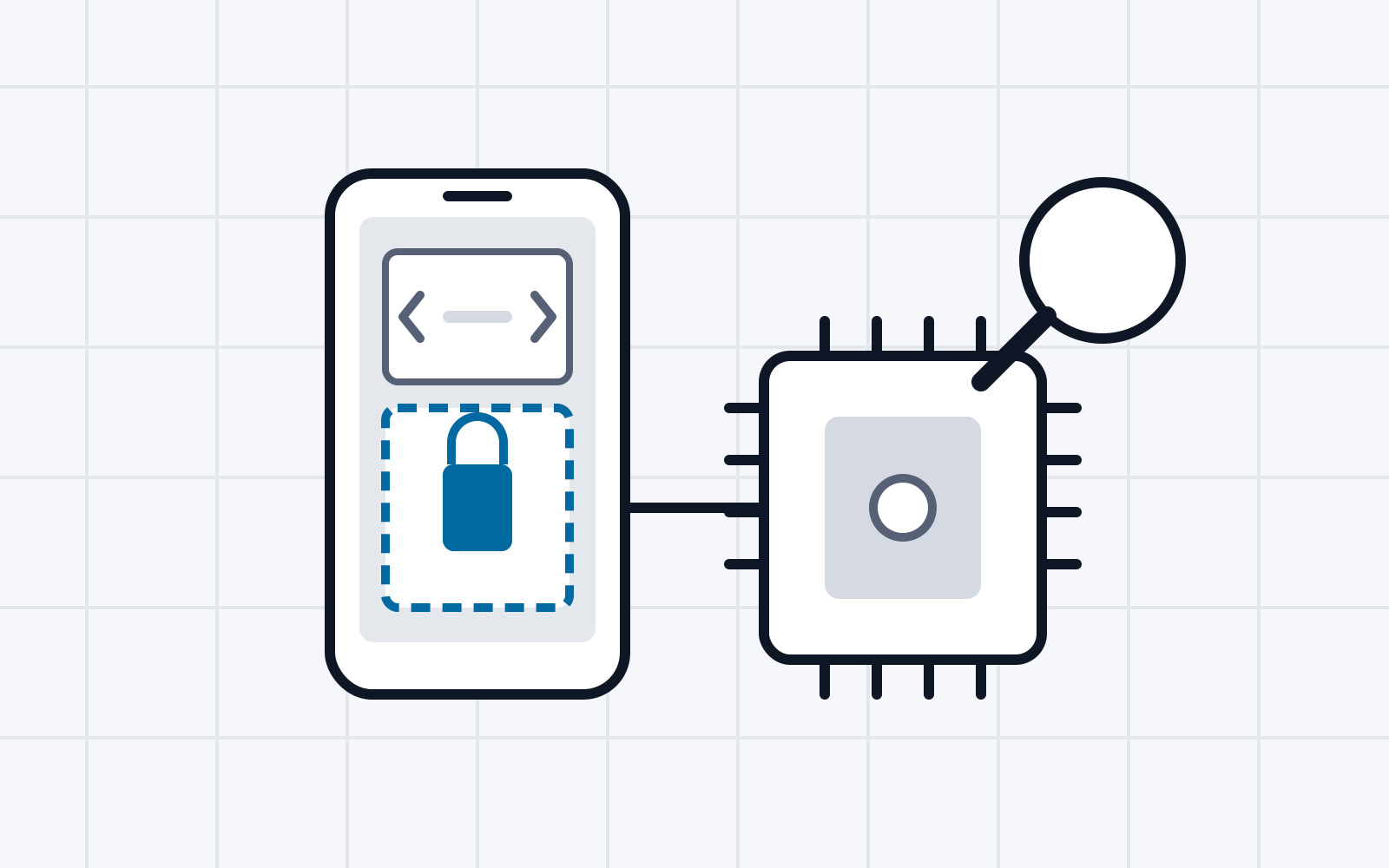
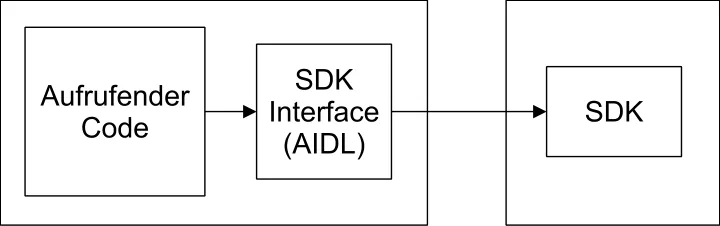
Technically, the SDKs are executed in a separate process and are thus isolated from the main application. This isolation means that the SDKs have no direct access to the data or permissions of the main application, but can only interact with it via a predefined interface. A schematic representation of the split can be seen in Figure 1. By splitting into separate processes, the operating system ensures isolation using mechanisms that are already well known and tested. In addition, the SDK Runtime manages the permissions of the SDKs so that they can only access the specific data and functions required for their tasks, which is intended to reduce unwanted data access. In particular, the SDK Runtime only allows access to the permissions INTERNET, ACCESS_NETWORK_STATE, READ_BASIC_PHONE_STATE and AD_ID. As a result, an SDK running in the SDK Runtime can access the internet, retrieve basic information about the network, read the phone state, such as the network type, and access the advertising identifier. Access to further permissions is not provided for in the current implementation of the SDK Runtime. In addition, decoupling from the main application also allows the SDKs to be updated independently of the main application.
2.2. Use of the Android Interface Definition Language
The Android Interface Definition Language (AIDL) plays a central role in the new SDK Runtime of the Android Privacy Sandbox. AIDL is used to define the communication between the main application and the isolated SDKs. This use of AIDL is an important part of ensuring that the SDKs can act securely and in a controlled manner within their isolated environment. AIDL defines the interfaces through which the main application and the isolated SDK can communicate with each other. This interface specifies the methods and the data types that are exchanged. This ensures that the interactions are clearly defined. Because the interfaces are clearly defined, it is possible to control precisely which data and functions are available to the SDKs. This minimises the risk that the executed SDKs collect more data or access more functions than strictly necessary. An example of such an AIDL interface can be seen in Figure 2. In the example shown, two methods are defined that can be called by the main application in order to interact with the SDK.
   package com.example.exampleaidllibrary;

   interface ISdkApi { String createFile(int sizeInMb); void runMethod(); }
Figure 2 Example of an AIDL interface for communication between application and SDK.
Based on the defined AIDL interface, an IBinder interface is generated automatically. This is implemented by the isolated SDK in order to provide the SDK’s functions through it. The AIDL interface is based on the Java interface syntax and only defines the method signatures provided by the SDK. Because this is an IPC interface, only a defined number of data types are supported. These include all primitive data types available in Java, as well as Strings, CharSequences, Lists, Maps and arrays containing primitive data types. In addition, classes that implement the Parcelable interface are also supported.
2.3. Activation of the SDK Runtime
The Privacy Sandbox is currently a Developer Preview. The associated SDK Runtime must first be set up on the device on which developer mode has been enabled. To do this, the associated services are first enabled via the Android Debug Bridge (adb). The services are enabled using the commands shown in Figure 3. Finally, the last command makes the SDK Runtime persistent, so that it is not restarted after a few minutes.
   adb shell device_config put adservices ppapi_app_allow_list
   "*" && \
   ppapi_app_signature_allow_list "*" && \
   msmt_api_app_allow_list "*" && \
   adservice_system_service_enabled true && \
   adb shell device_config put adservices adservice_enabled true
   && \
   adservice_enable_status true && \
   adb shell device_config put adservices global_kill_switch
   false && \
   adb shell device_config put adservices disable_sdk_sandbox
   false && \
   adb shell device_config set_sync_disabled_for_tests
   persistent
Figure 3 Activation of the SDK Runtime on the device.
3. Analysis
3.1. Methodology
For collecting data from devices, an automated framework is used that queries return values of method calls, contents of fields and Content Providers. The aim is to capture all essential sources of information that are accessible to a third-party program. The framework is based on a list of all known methods and constructors of the Android API, which was parsed from the API documentation [2].
3.1.1. Creation and analysis of objects
Starting from the parsed list of classes, objects of the classes are created, and their methods and fields are called and evaluated using Java Reflection. For this purpose, possible constants used in method and constructor calls were also parsed from the documentation. For parameters for which no constants are available, either manually defined values or default values are used. The manually predefined values are assigned based on the parameter name, while the default values are determined based on the parameter type.
3.1.2. Minimising side effects
To minimise side effects such as changes to the application or the system, as well as application crashes, only methods that typically provide information are called. These are selected based on the prefix of the method name. For this study, the methods are restricted to the prefixes get, has, is, query, check, support, available, total, max and scan. If a method returns a primitive value (e.g. integer or string), this is stored for further analysis. If, however, the method returns an object of a class, the methods it contains are also called, provided they have the stated prefixes in the method name. The result of the toString() method is also used for the analysis.
3.1.3. Evaluation of fields and Content Providers
In addition to the return values of the methods, all contents of fields of the created or received objects are also retrieved and stored for the analysis. Contents of Content Providers are read as well. The Content Provider architecture [3] enables access to data in system services. Applications can also implement Content Providers in order to make data available to other applications via a uniform interface. For this study, however, we focus on the Content Providers provided by the system or by preinstalled services. All Content Provider URIs (that is, strings starting with content://) were collected beforehand. In this step, only those Content Providers that are accessible without elevated permissions are read. The accessible data is stored for further analysis.
3.1.4. Data cleaning and evaluation
In the last step, all collected data is cleaned and duplicates are removed. This means that calls of methods that return the same value despite different parameters or calling objects are excluded. Afterwards, the analysis determines which methods, fields and Content Providers cannot be called or read in the SDK Runtime.
3.2. Results
This section addresses the differences between running the framework in the Privacy Sandbox and directly on the device without the Privacy Sandbox. To this end, fingerprintable sources of information were searched for on a Pixel 7a with Android 14, once in the SDK Runtime and once without the SDK Runtime. A Pixel 6 Pro, on which fingerprintable sources of information were also searched for, was chosen as the comparison device. In the analysis, only methods, fields and Content Providers are called or read that require no special permission or only a so-called “normal” permission, which is granted automatically by the system when the application is installed. In the SDK Runtime, only those normal permissions can be requested that have been enabled for it (see Section 2.1).
3.2.1. Content Providers
In total, three Content Providers that provide fingerprintable information were accessible in the SDK Runtime. Without the SDK Runtime, two further Content Providers containing fingerprintable information were found, that is, five in total. The three Content Providers accessible in the SDK Runtime allow access to settings that can be influenced by the user as well as to information about the system. Of the five fingerprintable Content Providers, these contain by far the most fingerprintable entries. Besides some constants, these providers mainly contain system settings that can be adjusted by the user of the device. The settings provider is divided into three sub-providers. These are content://settings/global, content://settings/secure and content://settings/system. The Content Provider content://settings/global contains the most entries, with 225. This contains, for example, the device name that can be set by the user, the boot count and the mobile network settings. The Content Provider content://settings/secure allows access to 151 different entries. These include the accessibility settings, the input method and the autofill service as well as the lock screen settings. Finally, the Content Provider content://settings/system contains 46 entries. This provider primarily contains information about media and notification settings, for example about configured notification sounds or vibration settings.
The SDK Runtime prevents access to the two Content Providers content://media/internal/audio/media and content://service-state. The Content Provider content://media/internal/audio/media contains information about ringtones, notification sounds and alarm sounds. On the test device, it contains 42 different entries. Besides various data about the sounds, this table also contains a column date_modified. On unpatched devices, this column corresponds to the time of the first start of the device with the preinstalled sounds. Finally, the service-state provider contains information about the mobile network, such as the type of data network or the identification number of the network operator. Since a single SIM card was installed in the test device used, this provider contains one entry.
3.2.2. Methods and fields
In the comparison between the Pixel 6 Pro and the Pixel 7a without the SDK Runtime, 852 methods and fields were found that differ between the devices and thus potentially provide fingerprintable information. In comparison, between the Pixel 6 Pro and the Pixel 7a with the SDK Runtime, 823 methods and fields were found that can provide information for creating a fingerprint. The following two sections discuss how the results differ between execution inside and outside the SDK Runtime. Firstly, it was found that some methods and fields cannot be called or read in the SDK Runtime. This may be due, for example, to a “normal” permission not having been granted in the SDK Runtime. Secondly, it was found that some methods or fields return different values. This is due, for example, to the fact that certain file system paths are not accessible from the SDK Runtime.
3.2.2.1. Inaccessible methods and fields
In total, 35 methods and fields that provide fingerprintable information could not be called or read in the SDK Runtime. In addition, a further 235 methods and fields could not be called or read in the SDK Runtime. However, these did not provide fingerprintable information in comparison with the Pixel 6 Pro. Methods of the class KeyguardManager could not be called. These allow access to information about the lock mechanism of the device. The system service WallpaperManager is likewise inaccessible. Without the SDK Runtime, it allows access to information about the wallpaper that has been set, such as the colours it contains or the required size of a wallpaper. In addition, objects of the class DevicePolicyManager cannot be instantiated. It allows access to various settings and properties of the device, such as the encryption status of the storage or the support for device attestation. In the SDK Runtime, it was also not possible to access other user profiles installed on the device or the shared libraries stored in the PackageManager. Likewise, it was not possible to access the ringtone that has been set, or the MediaController’s information about the volume that has been set and about media. Access to the WifiManager is also not possible from within the SDK Runtime. It allows access to information about supported or enabled features of the Wi-Fi hardware. Similarly, access to information about the NFC hardware via the NfcAntennaInfo class is not possible.
3.2.2.2. Differences between SDK Runtime and device
In addition to the methods and fields that cannot be called or read, there were also methods and fields whose values differed between execution with and without the SDK Runtime. This affects the package name, which can be retrieved via various methods. This is currently always com.google.android.sdksandbox, regardless of the package name chosen for the library running in the runtime. As a result, some of the file system paths obtained also differ, such as that of the cache folder, which can be retrieved via Context.getPreloadsFileCache(). In addition, the SDK Runtime forbids access to some file system paths that are accessible to an application outside the runtime. This includes the application’s file and media folders on the internal storage. As a result, the methods Context.getExternalFilesDirs(…) and Context.getExternalMediaDir(), for example, return null instead of a File object with a valid file system path such as /storage/emulated/0/Android/media/<packagename>/. Likewise, the method android.os.Environment.getExternalStorageState() returns the status unmounted in the SDK Runtime, whereas the same method returns mounted without the SDK Runtime.
In the SDK Runtime, no access to the DRM framework is possible. The method android.drm.DrmManagerClient.getAvailableDrmEngines() returns an empty array. Via the DRM framework, it is otherwise possible in principle to create an (APK-specific) Widevine ID [4] for DRM purposes. Access to the ringtone that has been set via the method android.media.Ringtone.getTitle(Context) is likewise not possible from the SDK Runtime. In addition, the input method, which can be retrieved via the InputManager, differs. Finally, access to the available notification channels via the method android.app.NotificationManager.getNotificationChannels() is also not possible. In the SDK Runtime, it returns an empty array instead of the list of available notification channels.
4. Conclusion
This report analysed the Android Privacy Sandbox and in particular the associated SDK Runtime. In addition to an analysis of the technical implementation of the Privacy Sandbox, an experiment was carried out to examine the differences between running an application in the SDK Runtime and on the device. It was found that the SDK Runtime prevents access to some methods, fields and Content Providers. Likewise, the information obtained from some methods and fields differs between execution in the SDK Runtime and directly on the device. However, many methods, fields and Content Providers that provide information usable for creating a fingerprint are still accessible. A major advantage of the SDK Runtime, however, is that the libraries executed in it get no access to information in the application itself or to permissions that the user has granted to the application.
References
[1] Google Inc., „SDK Runtime Overview - Process Isolation,“ 10 06 2024. [Online]. Available: https://developers.google.com/privacy-sandbox/relevance/sdk-runtime#process-isolation. [Zugriff am 12 06 2024].
[2] Google Inc., „Android API reference | Android Developers,“ 02 03 2024. [Online]. Available: https://developer.android.com/reference. [Zugriff am 14 06 2024].
[3] Google Inc., „Content Providers | Android Developers,“ 23 01 2024. [Online]. Available: https://developer.android.com/guide/topics/providers/content-providers. [Zugriff am 14 06 2024].
[4] „Best practices for unique identifiers | Android Developers,“ 23 04 2024. [Online]. Available: https://developer.android.com/identity/user-data-ids. [Zugriff am 14 06 2024].